Multi-level Navigation
A recursive, front-matter-driven navigation tree using @11ty/eleventy-navigation — no hand-maintained nav array.
Live Implementation
This is the exact primary navigation rendered in the header, shown again here so you can see its markup in context:
How It Works
Instead of maintaining a separate navigation data file, every page that should appear in the nav declares it in its own front matter:
eleventyNavigation:
    key: Dark Mode
    parent: Demos
    order: 1
The @11ty/eleventy-navigation plugin scans collections.all, builds a tree out of those key/parent/order relationships, and hands it back through a filter: collections.all | eleventyNavigation. The nav-primary.njk component renders that tree with one recursive macro, so it calls itself whenever an entry has children. That means you can nest as deep as you want without writing any extra template code.
This very page is one of the four children under Demos in the header. Open the menu and you’ll see the rest.
Folder Structure
src/
  _includes/components/nav-primary.njk   ← recursive render
  demos/*.md                              ← eleventyNavigation front matter
  index.njk, demos.njk, blog.njk, about.md
Important Files
src/_includes/components/nav-primary.njk
{% macro navList(items, depth) %}
<ul class="primary-nav__list{% if depth %} primary-nav__list--sub{% endif %}">
  {% for entry in items %}
  <li class="primary-nav__item">
    <a
      href="{{ entry.url }}"
      class="primary-nav__link"
      {% if entry.url == page.url %}aria-current="page"{% endif %}
    >{{ entry.title }}</a>
    {% if entry.children.length %}
      {{ navList(entry.children, 1) }}
    {% endif %}
  </li>
  {% endfor %}
</ul>
{% endmacro %}

<nav class="primary-nav" {% if not navStandalone %}id="primary-nav"{% endif %} aria-label="Primary">
  {{ navList(collections.all | eleventyNavigation) }}
</nav>
Notes
- Active-page highlighting is a plain comparison:
entry.url == page.url. - To go three levels deep, add a page whose
parentpoints at a key that already has aparentof its own — the same macro handles it. - On small screens, the same markup is shown/hidden by a CSS class toggled from
main.js; no separate mobile menu template exists.
Related Demos
Breadcrumbs
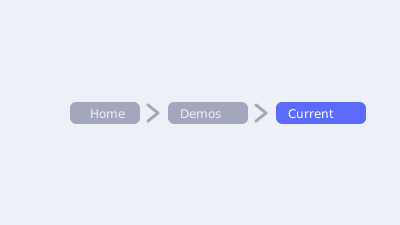
A tiny, explicit breadcrumb-trail macro used at the top of every demo and blog post.

Dark Mode
A flicker-free light/dark theme toggle built on CSS custom properties, a data-theme attribute, and localStorage.
Syntax Highlighting
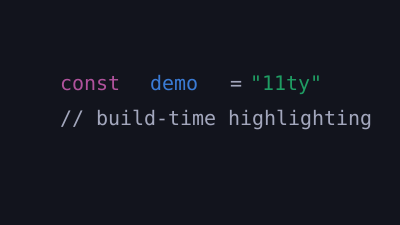
Build-time code highlighting with @11ty/eleventy-plugin-syntaxhighlight — zero client-side JavaScript.